


 English
 Hrvatski
 Slovenščina
 Српски
 Македонски
 Deutsch
 Português (BR)
 Italiano
 Español
 Français
 Slovenčina
 Ελληνικά
 Čeština
 Dansk
Dansk Eesti
Eesti Polski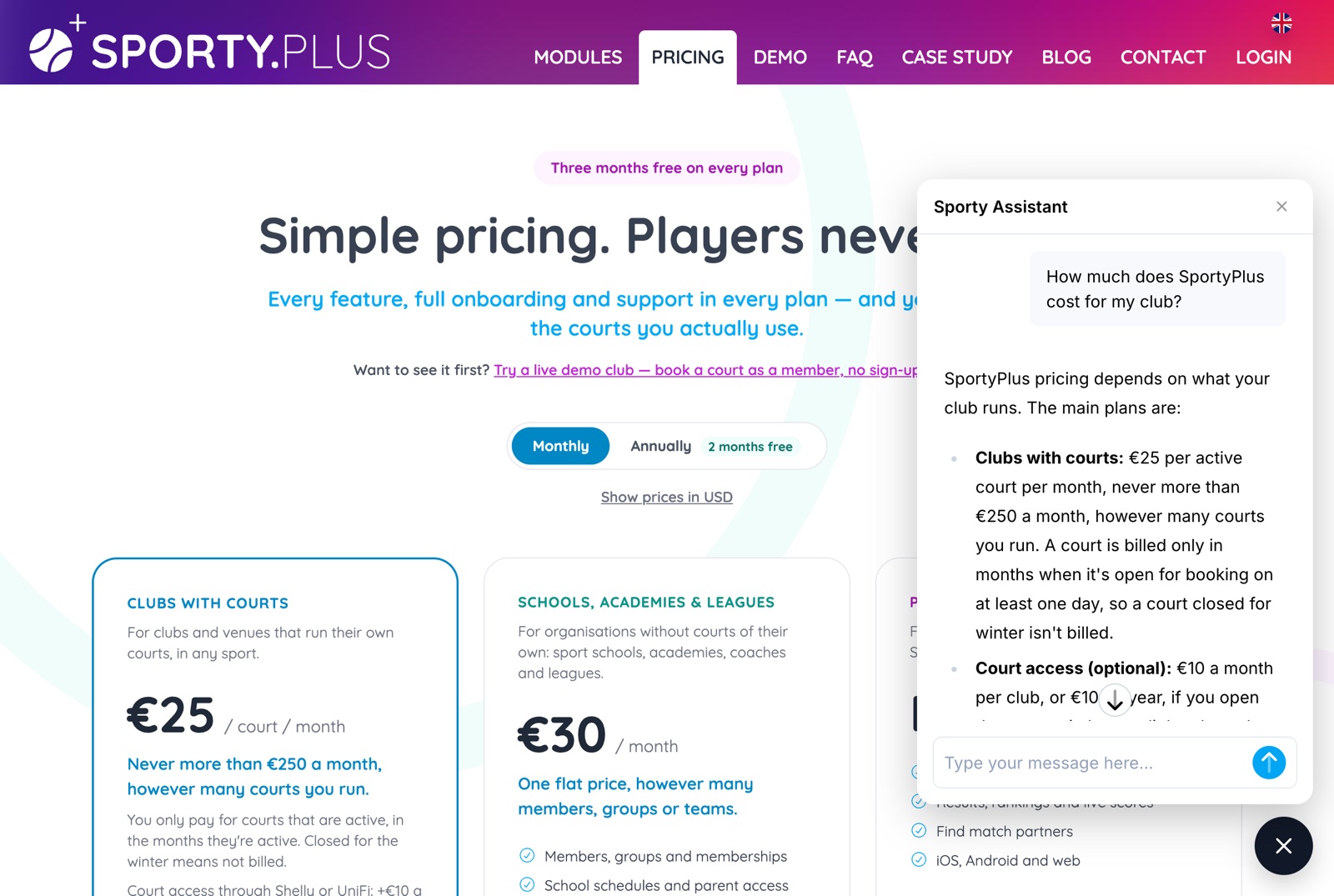
AI Assistant for Sports Clubs: What It Should Do, and What It Must Never Do
An AI assistant for sports clubs can answer software questions at 11pm and set up memberships for you. Here is what a good one does, what it must never do, and how to test one.
An AI assistant for sports clubs is a chat window in your club software that you can ask, in plain words, how something works, whether the software can do it at all, and, in the better ones, to set it up for you. Asking "can members book two weeks ahead but guests only two days?" at 11pm should get you an answer at 11pm, not after a support ticket.
That only helps if the answers are right. This guide covers what a good assistant does, the things it must never do, and how to test one before you rely on it.
The problem: club software questions come at the wrong time
Running a club means configuring a lot of software you touch only a few times a year: membership plans before the season, booking rules when the courts get busy, payment settings when you switch providers. The questions come up when you are doing the work, which is usually evenings and weekends.
The answer is normally somewhere: in a help centre, an old email from support, a video from onboarding. Finding it is the hard part, especially when you don't know what the feature is called. "Stop people booking the 18:00 slot every single day" is a real problem; "maximum concurrent reservations per membership" is what the setting is called.
How clubs handle it today
- Search the help centre, which works when you already know the right words.
- Email or call support, which works, but not at 23:00 on a Sunday.
- Ask another club that uses the same software.
- Click through the settings until something looks right.
- Ask a general AI chatbot. This is now common, and it is the risky one. A general chatbot knows nothing about your specific software. It answers anyway, fluently and confidently: menu paths that don't exist, features the product never had, prices from years ago.
That last point is what separates a useful assistant from a harmful one. A wrong answer delivered confidently costs more than no answer, because you act on it.
What a good AI assistant for a sports club should do
These are the rules we built ours on, and the ones to hold any vendor's assistant to.
- Answer from the vendor's own documentation, not from guesswork. The assistant should look the answer up in the product's documentation and help pages, and only say what it found there. If the docs say courts cost €25 a month each, it should quote exactly that, not an estimate.
- Show where every answer came from. Each answer should link to the page it is based on, so you can check it in one click. An assistant that won't cite a source is asking you to trust it blindly.
- Say "no" plainly when the software can't do it. Stretching a different feature until it sounds like a match is the most common way assistants mislead. "We don't send SMS reminders; here is what we do send" is a useful answer.
- Never change anything without your confirmation. If the assistant can act, setting up a membership plan or a booking rule, it should show you exactly what it will create and wait for you to press a button. "Sure, done!" in a chat message is not a confirmation.
- Hand you to a person whenever you want. Some questions need a human: a billing dispute, a migration, a judgement call about your club. A good assistant offers the team's contact instead of trying to keep you in the chat.
- Speak your language. Club staff are rarely all fluent in English. The assistant should answer in the language you write in.
- Turn a missing feature into a request. When the answer is "no", the useful next step is to send that need to the people who build the product, with your reasoning, rather than leaving it in the chat history.
Example: an evening setting up a padel club
Take a hypothetical padel club with 4 courts that is considering new software, and its manager, Ana, who has an hour on a Thursday evening.
- "What would this cost us for 4 courts?" A grounded assistant looks up the pricing page and answers from it. For SportyPlus that is €25 per active court a month, so €100 a month for 4 courts, with three months free to start. It links the pricing page and says nothing the page doesn't.
- "Can it send members SMS reminders before their booking?" It searches, finds nothing about SMS, and says so. Then it says what does exist, email and app push notifications, and asks whether Ana wants the team to know SMS matters to her club. She says yes, explains why, and gives her email; the request goes to the product team, who reply to her directly.
- A month later, now signed in to her club's admin: "Create a Summer membership, visible on our website." The assistant shows a preview card: name Summer, visible on the club website yes, and a note that prices are set in the admin afterwards. Nothing exists until Ana presses Confirm.
- "Members on Summer can book 14 days ahead and get 4 hours a month included." Another card, another Confirm.
- "Where do I change the cancellation policy?" A button to the reservation settings page, instead of a description of where it might be.
Steps 1, 2 and 5 cost Ana nothing if the assistant is wrong, because each answer links its source. Steps 3 and 4 can't go wrong silently, because nothing changes until she confirms.
How SportyPlus can help
SportyPlus has an AI assistant in two places.
On sporty.plus, the chat button in the bottom corner of every page answers questions about the product: what it does, how a feature works, what it costs. You don't need an account. It answers only from our documentation, this blog and our website, and links the pages it used. If something isn't in SportyPlus, it says so and offers to send your request to the team with your email address. Every answer also offers a real person at info@sporty.plus.
In your club's admin, open /chat on your club's address (for example
yourclub.sporty.plus/chat) and sign in. The same product questions work there, and the
assistant can also take on setup work for you. Among other things, it can already register
a new club, create membership plans and their booking rules, and
take you straight to the right settings page. We keep adding to what it can do, so if
there is a task you would rather describe than click through, ask it. If it can't do that
yet, it will tell you, and you can send the request to the team from the chat.
Whatever it does, the rules stay the same: every change appears as a card with Confirm, Change and Cancel, only Confirm writes anything, and the assistant can only do what your own admin role allows.
Both answer in the language you write in.
Practical recommendations
- Test it with a question you already know the answer to. Booking rules or prices are good ones. If it gets those wrong, don't trust it with anything else.
- Ask for something the software doesn't do. The honest answer is "no, but here is what exists". If it invents a workaround with menu paths you can't find, it is guessing.
- Check that it links its sources, and click one or two.
- Never accept changes made "in chat". Insist on a preview you approve before anything is written, especially for anything involving money or member access.
- Know where the human is. Find the support contact before you need it, and use it for anything involving billing, data or a decision only your club can make.
- Use it for the settings you touch once a season. Membership plans and how far ahead members can book are exactly the things nobody remembers how to configure from last year.
- Ask again later. Assistants like this gain new abilities over time. Something it couldn't do last season may be one sentence away now.
Related questions
Can an AI assistant see my members' personal data?
It depends on the product, so ask. In SportyPlus, the product questions are answered from public documentation only, and anything the assistant does in the admin happens within your own admin permissions, for your club, and only after you confirm it.
Can the assistant be wrong?
Yes. Any assistant built on a language model can misread a page or a question. That is why answers link their source, changes need your confirmation, and a person is always one email away. Treat it like a knowledgeable colleague, not like the settings page itself.
Is this the same as players booking courts through ChatGPT?
No. This assistant helps the people running the club. Players booking and paying for courts through their own AI assistant is a separate topic, covered in our guide to AI court booking.
What if the feature I need doesn't exist?
Say what you need and why. The assistant sends it to the team as a feature request, and someone replies to you by email. It won't promise that it will be built, or when.
Related SportyPlus guides
- AI court booking: letting players book and pay through AI assistants
- How to manage court bookings without spreadsheets and manual work
- How far in advance should members be able to book courts?
Have a question about SportyPlus right now? Open the chat on sporty.plus and ask it, in your own language.